

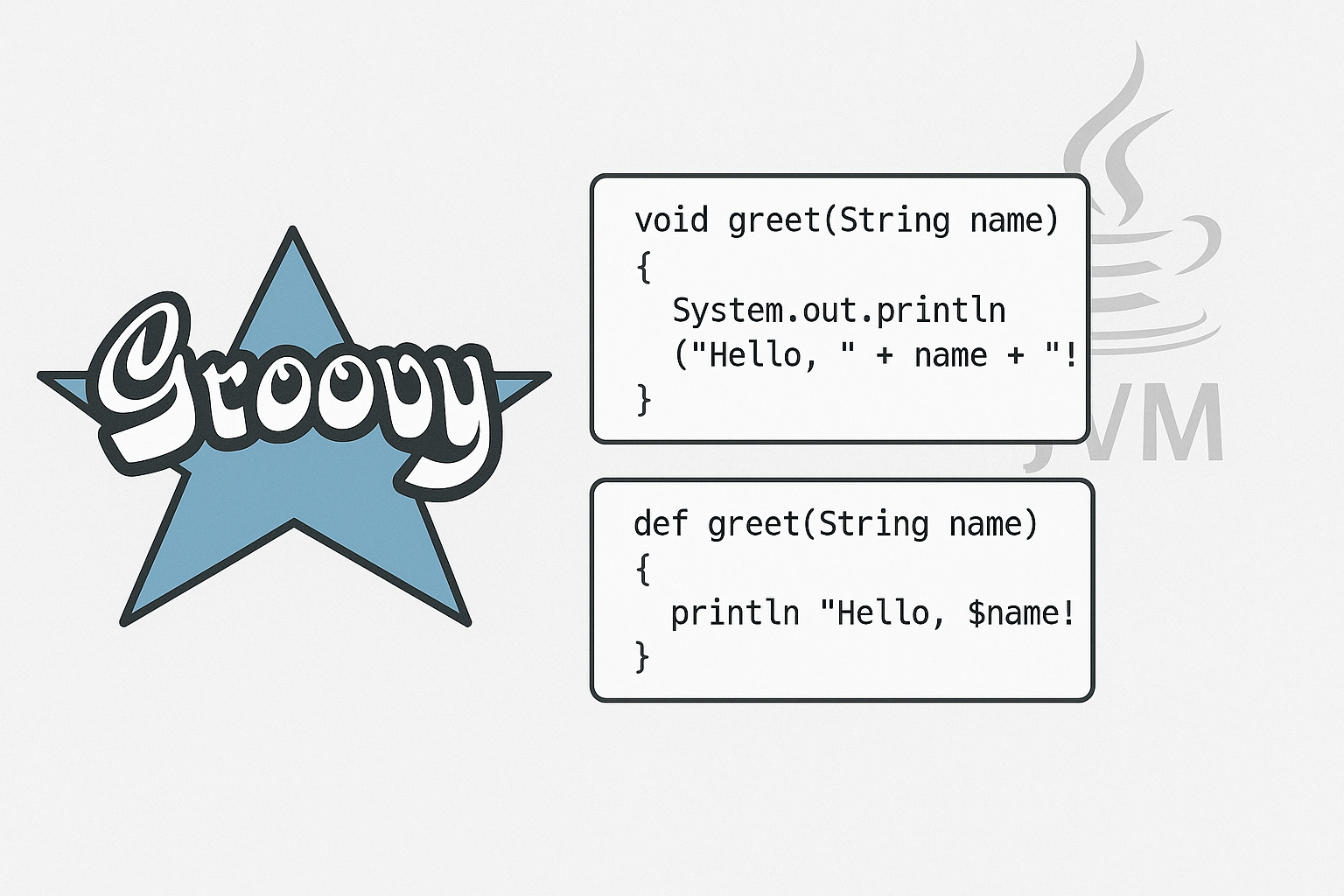
If you’re a Java developer looking for a more expressive, concise language that still runs on the JVM, Groovy might be exactly what you need. This dynamic language brings modern programming features to the Java ecosystem while maintaining seamless interoperability with existing Java code.
What is Groovy?
Groovy is a powerful, optionally typed dynamic language for the JVM that combines the best features from languages like Python, Ruby, and Smalltalk with Java’s robust ecosystem. Released in 2003 and now an Apache project, Groovy compiles to Java bytecode and integrates perfectly with Java libraries and frameworks.
What makes Groovy special is its pragmatic approach: you can write quick scripts with minimal syntax or build large enterprise applications with full static typing and compilation. It’s designed to enhance developer productivity without sacrificing the power of the Java platform.
Key Features
Concise Syntax: Groovy eliminates much of Java’s verbosity. Semicolons are optional, getters/setters are automatic, and the language includes powerful shortcuts for common operations.
Dynamic and Static Typing: Choose dynamic typing for rapid prototyping or static typing with @CompileStatic for performance-critical code. You get the best of both worlds.
Closures: First-class functions that capture their environment, making functional programming patterns natural and elegant.
Built-in DSL Support: Groovy’s flexible syntax makes it ideal for creating domain-specific languages, which is why it’s the foundation for Gradle, the popular build tool.
Seamless Java Integration: Call Java code from Groovy and vice versa without any special adapters or wrappers.
Hello World: Getting Started
Let’s start with the classic example. Here’s how simple Groovy can be:
// hello.groovy
println "Hello, World!"
That’s it. No class declaration, no main method, no semicolons. Just pure simplicity.
Want to make it slightly more structured? Here’s a version with a method:
// greeting.groovy
def greet(name) {
    "Hello, ${name}!"
}

println greet("Groovy Developer")
Notice the string interpolation with ${} and the implicit return statement. Groovy returns the last expression automatically.
Building a To-Do List: Step by Step
Let’s create a practical to-do list application to showcase Groovy’s features.
Step 1: Define the Task Class
// Task.groovy
@groovy.transform.Canonical
class Task {
    String description
    boolean completed = false
    Date createdAt = new Date()
}
The @Canonical annotation automatically generates equals(), hashCode(), and toString() methods. Notice the concise property declarations without explicit getters/setters.
Step 2: Create the To-Do List Manager
// TodoList.groovy
import Task

class TodoList {
    List<Task> tasks = []

    def addTask(String description) {
        tasks << new Task(description: description)
        println "Added: ${description}"
    }

    def completeTask(int index) {
        if (index >= 0 && index < tasks.size()) {
            tasks[index].completed = true
            println "Completed: ${tasks[index].description}"
        }
    }

    def showTasks() {
        tasks.eachWithIndex { task, i ->
            def status = task.completed ? "x" : " "
            println "${i}. [${status}] ${task.description}"
        }
    }

    def getPendingTasks() {
        tasks.findAll { !it.completed }
    }
}
Key Groovy features here:
<<operator for list append- Named parameters in constructor:
new Task(description: description) - Closures with
eachWithIndexandfindAll - Implicit
itvariable in single-parameter closures
Step 3: Use the To-Do List
// main.groovy
import TodoList

def todo = new TodoList()

todo.addTask("Learn Groovy basics")
todo.addTask("Build a project with Groovy")
todo.addTask("Explore Gradle")

println "\nAll tasks:"
todo.showTasks()

todo.completeTask(0)

println "\nPending tasks: ${todo.pendingTasks.size()}"
todo.showTasks()
Step 4: Add Advanced Features
class TodoList {
    // ... previous code ...

    def exportToJson() {
        def json = new groovy.json.JsonBuilder(tasks)
        json.toPrettyString()
    }

    def filterByDate(Date since) {
        tasks.findAll { it.createdAt >= since }
    }
}

// Usage
def json = todo.exportToJson()
println "\nJSON Export:\n${json}"

def today = new Date().clearTime()
def todaysTasks = todo.filterByDate(today)
println "\nToday's tasks: ${todaysTasks.size()}"
Groovy vs C#: A Comparison
Both Groovy and C# are modern languages that evolved to address limitations in their respective ecosystems (Java and C/C++). Here’s how they compare:
| Feature | Groovy | C# |
| Platform | JVM (cross-platform) | .NET (cross-platform with .NET Core) |
| Typing | Optional (dynamic/static) | Static (with dynamic keyword) |
| Syntax Style | Ruby-like, flexible | C-like, structured |
| Compilation | Compiles to Java bytecode | Compiles to IL (Intermediate Language) |
| Primary Use Case | Scripting, DSLs, Gradle builds | Enterprise apps, games (Unity), web |
| Learning Curve | Easy for Java devs | Easy for Java/C++ devs |
| Null Safety | Limited (Elvis operator, safe navigation) | Modern (nullable reference types) |
| Closures | Native, powerful | Lambdas and delegates |
| String Interpolation | "Hello ${name}" | $"Hello {name}" |
| Collection Literals | [1, 2, 3], [a:1, b:2] | new[] {1, 2, 3}, new Dictionary<>() |
| Properties | Automatic from fields | Explicit with get/set |
| LINQ Equivalent | GPath, Collection methods | LINQ |
| Async/Await | GPars library | Native support |
| Metaprogramming | Extensive (AST transforms, categories) | Reflection, attributes |
| Ecosystem | Java ecosystem (Maven, Gradle) | NuGet, .NET ecosystem |
| Performance | Dynamic overhead (mitigated with @CompileStatic) | Generally faster, optimized runtime |
When to choose Groovy:
- You’re in the Java/JVM ecosystem
- You need powerful scripting capabilities
- You’re building DSLs or using Gradle
- You want seamless Java interoperability
When to choose C#:
- You’re building Windows desktop apps
- You’re working with Unity game development
- You need cutting-edge language features
- Performance is critical
Practical Tips
Use @CompileStatic for Performance: When you need Java-like performance, add the @CompileStatic annotation to your classes or methods.
@groovy.transform.CompileStatic
class FastCalculator {
    int multiply(int a, int b) {
        a * b
    }
}
Leverage Safe Navigation: The ?. operator prevents NullPointerExceptions.
def user = findUser(id)
println user?.name?.toUpperCase() // No NPE if user or name is null
Use Elvis Operator for Defaults: Provide default values concisely.
def name = user?.name ?: "Anonymous"Exploit Collection Power: Groovy’s collection methods are incredibly expressive.
def numbers = [1, 2, 3, 4, 5]
def doubled = numbers.collect { it * 2 }
def evens = numbers.findAll { it % 2 == 0 }
def sum = numbers.sum()
Build DSLs: Use Groovy’s flexible syntax to create readable configuration or build scripts.
deployment {
    environment 'production'
    servers {
        web count: 3, type: 'nginx'
        app count: 5, type: 'tomcat'
    }
}
Integrate with Java Seamlessly: Mix and match Groovy and Java classes in the same project without friction.
Common Use Cases
Build Automation: Gradle, the dominant build tool in Android and many Java projects, is built with Groovy.
Testing: Spock Framework provides beautiful, expressive testing DSL that makes tests read like specifications.
Scripting: Quick automation scripts, data processing, or DevOps tasks benefit from Groovy’s conciseness.
Web Development: Grails framework offers Rails-like productivity for JVM web applications.
Configuration: Jenkins pipelines, configuration files, and initialization scripts often use Groovy for flexibility.
Conclusion
Groovy stands out as a practical, productive language that respects your existing Java knowledge while offering modern features that make coding more enjoyable. Whether you’re writing quick scripts, building DSLs, or developing full applications, Groovy provides the tools to get things done with less boilerplate and more expressiveness.
The language’s biggest strength is its pragmatism: you can start simple and gradually adopt more advanced features as needed. The seamless Java interoperability means you’re never locked out of the massive Java ecosystem, and tools like Gradle prove that Groovy can power critical infrastructure used by millions of developers worldwide.
If you’re a Java developer feeling constrained by verbosity, or if you’re looking for a scripting language with serious power, give Groovy a try. You might find that it becomes your go-to tool for getting things done on the JVM.
Reference Links
- Apache Groovy Official Documentation – https://groovy-lang.org/documentation.html
- The authoritative source for Groovy language features, syntax, and best practices.
- Groovy in Action (Second Edition) – https://www.amazon.com/groovy-in-action-second-edition
- Comprehensive guide covering everything from basics to advanced meta programming.
- Gradle User Manual – https://docs.gradle.org/current/userguide/groovy_build_script_primer.html
- Learn Groovy through one of its most successful applications, understanding how Gradle leverages the language for build automation.
- Examples – https://github.com/efernandes-tech/groovy-001-ef-to-do-list