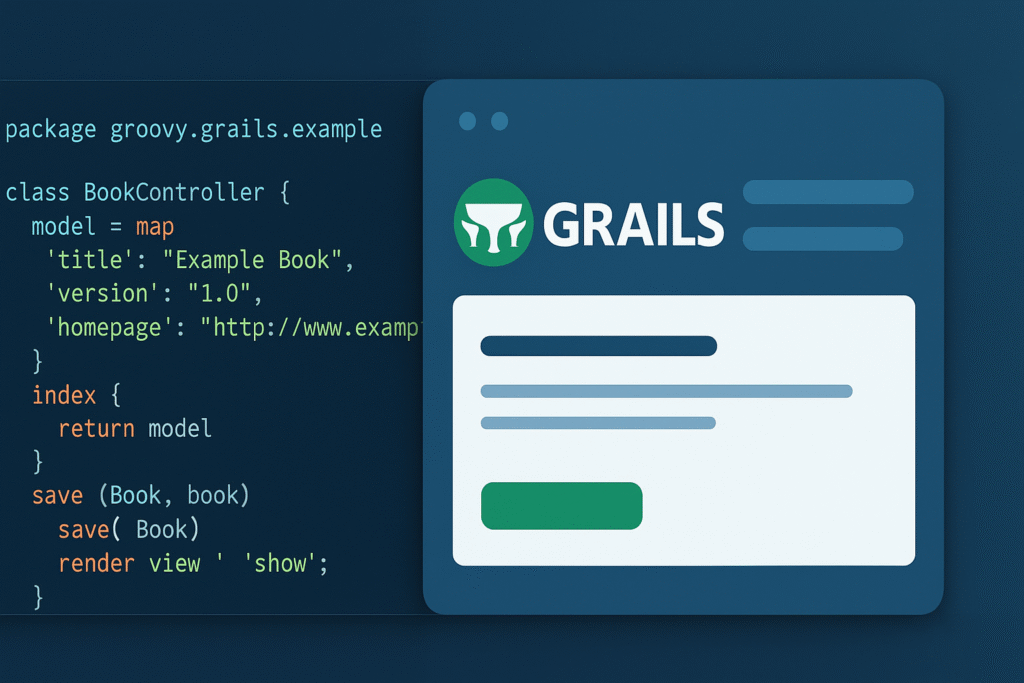
Grails is a powerful web application framework built on Groovy and Spring Boot that enables rapid development with convention-over-configuration principles. It combines Java ecosystem strength with Ruby on Rails-like productivity, offering developers seamless integration with existing Java libraries while maintaining developer-friendly syntax and accelerated build times.
Introduction
The Grails framework has emerged as one of the most compelling choices for building modern web applications in the Java ecosystem. If you’re a developer looking to accelerate your development process without sacrificing the robustness of enterprise-grade applications, Grails deserves your attention. This comprehensive guide will walk you through everything you need to know about the Grails framework, from basic concepts to advanced implementations.
Whether you’re migrating from other frameworks or starting fresh, understanding Grails can significantly boost your productivity. Built on top of Groovy and leveraging the power of Spring Boot, Grails offers a convention-over-configuration approach that reduces boilerplate code while maintaining full access to the Java platform’s extensive libraries and tools.
What is Grails Framework?
Grails is an open-source web application framework that uses the Apache Groovy programming language, which runs on the Java Virtual Machine (JVM). Created in 2005, Grails was designed to bring Ruby on Rails’ productivity to the Java ecosystem while maintaining seamless integration with existing Java infrastructure.
Key Features
- Convention over Configuration: Reduces setup time and configuration files
- Spring Boot Foundation: Built on top of Spring Boot, providing enterprise-ready features
- GORM (Grails Object Relational Mapping): Powerful database abstraction layer
- Groovy-based: Concise syntax while maintaining Java compatibility
- Plugin Architecture: Extensive ecosystem of reusable components
- RESTful APIs: First-class support for building REST services
- Gradle Build System: Modern dependency management and build automation
Why Choose Grails?
Developers choose Grails for several compelling reasons:
- Rapid Development: Convention-based structure means less configuration
- Java Ecosystem Access: Use any Java library seamlessly
- Proven Track Record: Used by major companies for production applications
- Active Community: Regular updates and extensive documentation
- Developer Productivity: Hot-reloading and scaffolding features save time
Getting Started: Grails “Hello World” Example
Let’s create your first Grails application step by step.
Prerequisites
Before starting, ensure you have:
- Java JDK 11 or higher installed
- SDKMAN! (recommended for managing Grails versions)
Step 1: Install Grails
Using SDKMAN:
curl -s "https://get.sdkman.io" | bash
source "$HOME/.sdkman/bin/sdkman-init.sh"
sdk install grails

# For Windows: WSL Approach
Verify installation:
grails --versionStep 2: Create a New Application
grails create-app hello-world
cd hello-world
Step 3: Create a Controller
grails create-controller helloThis generates grails-app/controllers/hello/world/HelloController.groovy.
Step 4: Add an Action
Edit the controller:
package hello.world

class HelloController {
    def index() {
        render "Hello, World from Grails!"
    }
}
Step 5: Run the Application
grails run-appVisit http://localhost:8080/hello in your browser. You’ll see “Hello, World from Grails!”
That’s it! You’ve created your first Grails application in under 5 minutes.
Building a To-Do List Application: Complete Tutorial
Now let’s build something more practical—a to-do list application with full CRUD operations.
Step 1: Create the Application
grails create-app todo-app
cd todo-app
Step 2: Create Domain Class
grails create-domain-class TaskEdit grails-app/domain/todo/app/Task.groovy:
package todo.app

class Task {
    String title
    String description
    Boolean completed = false
    Date dateCreated
    Date lastUpdated

    static constraints = {
        title blank: false, maxSize: 100
        description nullable: true, maxSize: 500
        completed nullable: false
    }
}
Step 3: Create Controller with Scaffolding
grails generate-all todo.app.TaskThis command generates:
- Controller with CRUD operations
- Views (GSP pages) for list, show, create, edit
- Service layer (optional)
Step 4: Customize the Controller
Edit grails-app/controllers/todo/app/TaskController.groovy:
package todo.app

import grails.gorm.transactions.Transactional

@Transactional
class TaskController {
    static allowedMethods = [save: "POST", update: "PUT", delete: "DELETE"]

    def index(Integer max) {
        params.max = Math.min(max ?: 10, 100)
        respond Task.list(params), model:[taskCount: Task.count()]
    }

    def show(Long id) {
        respond Task.get(id)
    }

    def create() {
        respond new Task(params)
    }

    def save(Task task) {
        if (task.hasErrors()) {
            respond task.errors, view:'create'
            return
        }

        task.save flush:true
        redirect action:"index"
    }

    def edit(Long id) {
        respond Task.get(id)
    }

    def update(Task task) {
        if (task.hasErrors()) {
            respond task.errors, view:'edit'
            return
        }

        task.save flush:true
        redirect action:"index"
    }

    def delete(Long id) {
        Task task = Task.get(id)
        task.delete flush:true
        redirect action:"index"
    }
}
Step 5: Configure Database
Edit grails-app/conf/application.yml:
dataSource:
    pooled: true
    jmxExport: true
    driverClassName: org.h2.Driver
    username: sa
    password: ''

environments:
    development:
        dataSource:
            dbCreate: create-drop
            url: jdbc:h2:mem:devDb
    production:
        dataSource:
            dbCreate: update
            url: jdbc:h2:prodDb
Step 6: Run and Test
grails run-appNavigate to http://localhost:8080/task to see your fully functional to-do list application with:
- List view with all tasks
- Create new task form
- Edit existing tasks
- Delete functionality
- Automatic validation
Grails vs Ruby on Rails: Detailed Comparison
Both frameworks share similar philosophies but have distinct characteristics. Here’s a comprehensive comparison:
| Feature | Grails | Ruby on Rails |
|---|---|---|
| Language | Groovy (JVM-based) | Ruby |
| Platform | Java Virtual Machine | Ruby Runtime |
| Type System | Optional static typing | Dynamic typing |
| Performance | Faster execution (JVM optimization) | Slower, but adequate for most apps |
| Learning Curve | Moderate (Java knowledge helps) | Easier for beginners |
| Enterprise Integration | Excellent (Java ecosystem) | Limited (requires additional gems) |
| Community Size | Smaller but active | Larger, more mature |
| Job Market | Strong in enterprise sectors | Strong in startups and agencies |
| Build Tool | Gradle | Bundler + Rake |
| ORM | GORM | Active Record |
| Testing Framework | Spock (built-in) | RSpec/Minitest |
| Hot Reloading | Yes (with limitations) | Yes (excellent) |
| Plugin Ecosystem | 1000+ plugins | 180,000+ gems |
| Memory Usage | Higher (JVM overhead) | Lower |
| Deployment | JAR/WAR files, cloud-friendly | Various (Heroku, Capistrano) |
| Legacy System Integration | Seamless with Java systems | Requires adapters |
When to Choose Grails
- You’re working in Java-heavy environments
- Enterprise integration is a priority
- Your team knows Java/Groovy
- Performance and scalability are critical
- You need strong typing options
When to Choose Rails
- You’re building MVPs quickly
- Your team prefers dynamic languages
- Community size matters for your project
- You want the largest gem ecosystem
- Developer happiness is paramount
Advanced Grails Concepts
GORM and Database Operations
GORM provides powerful database abstraction:
// Dynamic finders
Task.findByTitle("Buy groceries")
Task.findAllByCompleted(true)
Task.findByTitleLike("%meeting%")

// Criteria queries
def tasks = Task.createCriteria().list {
    and {
        eq('completed', false)
        gt('dateCreated', new Date() - 7)
    }
    order('dateCreated', 'desc')
}

// Where queries (type-safe)
def tasks = Task.where {
    completed == false && dateCreated > new Date() - 7
}.list(sort: 'dateCreated', order: 'desc')
RESTful API Development
Grails excels at building REST APIs:
@Resource(uri='/api/tasks')
class TaskController {
    static responseFormats = ['json', 'xml']

    def index() {
        respond Task.list()
    }

    def show(Long id) {
        respond Task.get(id)
    }

    def save() {
        def task = new Task(request.JSON)
        task.save()
        respond task, status: 201
    }
}
Plugin Integration
Grails has a rich plugin ecosystem:
// build.gradle
dependencies {
    compile 'org.grails.plugins:spring-security-core:4.0.3'
    compile 'org.grails.plugins:mail:3.0.0'
    compile 'org.grails.plugins:cache:5.0.0'
}
Testing with Spock
Grails uses Spock for testing:
class TaskSpec extends Specification {
    void "test task creation"() {
        given:
        def task = new Task(title: "Test", description: "Test task")

        when:
        task.save()

        then:
        Task.count() == 1
        task.id != null
    }
}
Best Practices for Grails Development
Code Organization
- Keep controllers thin: Move business logic to services
- Use domain constraints: Validate data at the model level
- Follow naming conventions: Leverage Grails’ convention-over-configuration
- Separate concerns: Use services, controllers, and domain classes appropriately
Performance Optimization
- Enable query caching for frequently accessed data
- Use pagination for large datasets
- Implement proper indexing in databases
- Profile your application regularly
- Use async processing for heavy operations
Security Considerations
- Always use the Spring Security plugin for authentication
- Validate all user inputs
- Use CSRF protection tokens
- Implement proper authorization checks
- Keep dependencies updated
Deployment Strategies
Building for Production
grails warThis creates a WAR file deployable to any Java servlet container.
Modern Deployment Options
- Docker containerization
- AWS Elastic Beanstalk
- Heroku with buildpacks
- Kubernetes clusters
- Traditional servlet containers (Tomcat, Jetty)
Conclusion
The Grails framework offers a compelling solution for developers seeking rapid development capabilities without leaving the Java ecosystem. Its convention-over-configuration approach, combined with the power of Groovy and Spring Boot, creates a productive environment for building modern web applications.
Key Takeaways:
- Grails combines Java’s reliability with Rails-like productivity
- The framework significantly reduces boilerplate code through conventions
- GORM provides powerful database operations with minimal configuration
- Integration with existing Java systems is seamless
- The plugin architecture enables extensive customization
Whether you’re building enterprise applications, RESTful APIs, or full-stack web applications, Grails provides the tools and structure needed for success. While it may have a steeper learning curve than pure Ruby on Rails, the benefits of JVM performance, strong typing options, and Java ecosystem access make it an excellent choice for many projects.
Start exploring Grails today, and experience how this framework can transform your development workflow while keeping you firmly grounded in the robust Java platform.
Reference Links
- Grails Official Documentation – https://docs.grails.org/latest/guide/index.html (Authoritative source for framework documentation and best practices)
- Spring Boot Documentation – https://spring.io/projects/spring-boot (Essential for understanding Grails’ underlying framework)
- Groovy Language Documentation – https://groovy-lang.org/documentation.html (Comprehensive guide to the language powering Grails)
- Examples – https://github.com/efernandes-tech/grails-001-ef-to-do-list