

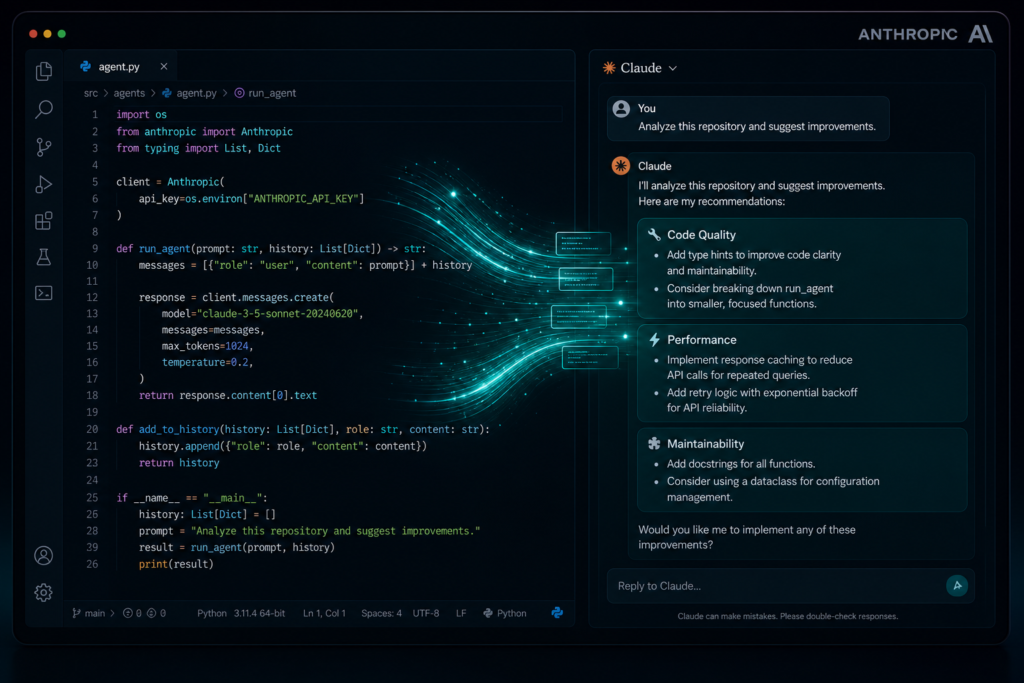
If you’ve been building software for more than a few years, you’ve probably heard every flavor of “this tool will change how you code.” Most of the time, it doesn’t. But Claude Code is different, and the developers quietly using it every day already know why.
This isn’t just autocomplete on steroids. Claude Code is a full agentic CLI assistant that reads your codebase, understands context, and takes real actions. And once you try it, going back feels like using a flip phone.
What Is Claude Code?
Claude Code is an AI-powered command-line tool developed by Anthropic. Unlike browser-based AI assistants, it runs natively in your terminal and interacts directly with your local files, git history, and project structure.
Key facts:
- Built on top of Claude Sonnet, one of Anthropic’s most capable models
- Designed for agentic workflows: it doesn’t just suggest, it acts
- Works inside your existing dev environment (VS Code, JetBrains, terminal)
- Supports multi-file edits, bash execution, and test running
- Available via
npm install -g @anthropic-ai/claude-code
Why Developers Are Ditching Traditional AI Tools for Claude Code
You’ve probably used GitHub Copilot, ChatGPT, or similar tools. They’re useful but they have a fundamental problem: they don’t know your project.
Claude Code changes that. Here’s what makes it stand out:
1. It Reads Your Entire Codebase
Claude Code can explore your project tree, read files, and build real context before answering. That means no more copy-pasting 200 lines into a chat window.
2. It Takes Real Actions
Ask it to refactor a service, run your tests, fix failing specs, or commit with a descriptive message and it does it. Not just tells you how. Does it.
3. It Works From the Terminal
No browser tab switching. No context loss. You stay in your flow, and Claude Code stays right there with you.
4. It Understands Git
It can inspect your git log, understand recent changes, create branches, and even write meaningful commit messages based on actual diffs.
5. It’s Honest About What It Doesn’t Know
Unlike tools that confidently hallucinate, Claude Code flags uncertainty. For a senior developer reviewing AI-generated code, that matters.
Getting Started: Hello World in 3 Minutes
Here’s how to go from zero to working with Claude Code:
Step 1: Install Claude Code
npm install -g @anthropic-ai/claude-codeStep 2: Authenticate
claudeYou’ll be prompted to log in with your Anthropic account. Claude Code uses your Claude.ai Pro or API subscription.
Step 3: Run your first prompt
claude "Create a Hello World REST API in Node.js using Express"Claude Code will scaffold the files, write the code, and explain what it created. No boilerplate hunting. No Stack Overflow rabbit holes.
Practical Example: Building a To-Do List API
Let’s say you’re building a simple to-do list backend. Here’s how Claude Code handles it end-to-end.
Step 1: Start in your project folder
mkdir todo-api && cd todo-api
claude "Set up a Node.js project with Express and SQLite for a to-do list REST API"
Step 2: Add endpoints
claude "Add CRUD endpoints for tasks: create, list, update status, and delete"Step 3: Write tests
claude "Write integration tests using Jest and supertest for all task endpoints"Step 4: Run and verify
claude "Run the tests and fix any failures"In a traditional workflow, this takes a couple of hours. With Claude Code, you’re looking at 15 to 20 minutes and the code is clean, structured, and actually tested.
Claude Code vs. GitHub Copilot vs. Cursor: A Quick Comparison
| Feature | Claude Code | GitHub Copilot | Cursor |
|---|---|---|---|
| Terminal-native | Yes | No | No |
| Agentic (takes actions) | Yes | No | Partial |
| Full codebase context | Yes | Limited | Yes |
| Git-aware | Yes | No | Limited |
| Runs tests automatically | Yes | No | No |
| Requires IDE plugin | No | Yes | Yes |
| Underlying model | Claude Sonnet | GPT-4o | Claude / GPT-4o |
| Pricing | Claude Pro / API | $10 to $19/mo | Free / $20/mo |
Claude Code wins on workflow integration and agentic capability. Copilot wins on inline autocomplete UX. Cursor is strong for teams wanting a full AI-native editor. Choose based on where you spend most of your time.
Advanced Tips for Getting the Most Out of Claude Code
Once you’re past the basics, these habits separate average from power users:
Use CLAUDE.md for Project Context
Create a CLAUDE.md file at your project root. Claude Code reads it automatically. Include:
- Project overview
- Tech stack and versions
- Coding conventions
- Common commands
# CLAUDE.md

## Project: Todo API
Stack: Node.js, Express, SQLite, Jest
Convention: Use async/await, no callbacks
Test command: npm test
Build: npm run build
This is the closest thing to giving Claude Code a proper onboarding.
Combine with Git Workflows
claude "Review the changes in this branch compared to main and suggest improvements"
claude "Write a conventional commit message for my staged changes"
Use It for Code Reviews
claude "Review this file for security issues, code smells, and potential bugs"This is especially useful before opening a PR. You get a second pair of eyes, a very fast and very patient one.
Audit Entire Repositories
claude "Audit this repository and produce a report: outdated dependencies, missing tests, anti-patterns"What Claude Code Is Not (Managing Expectations)
Let’s be honest. Claude Code is powerful, but it’s not magic:
- It can make mistakes. Always review generated code before committing to production.
- It needs good prompts. Vague input equals vague output.
- It’s not free. You need a Claude Pro subscription or API credits.
- It’s not an IDE replacement. It’s a complement, not a substitute.
Think of it as a senior dev pair-programming with you, faster than you, but still needs direction.
Who Should Use Claude Code?
Claude Code is a great fit if you:
- Write and review code daily
- Work across multiple files and services
- Want to automate repetitive tasks (boilerplate, tests, docs)
- Prefer working in the terminal
- Are tired of context-switching between editor and browser
It’s especially powerful for full-stack developers, backend engineers, and anyone doing code reviews, where understanding context across files is essential.
Conclusion: Is Claude Code Worth It?
Yes, if you’re a developer who values depth over novelty.
Claude Code isn’t trying to be the flashiest AI tool. It’s trying to be the most useful one inside a real development workflow. And based on how it handles multi-file context, agentic actions, and git awareness, it succeeds where others fall short.
The developers who get the most from it aren’t using it to replace their thinking. They’re using it to amplify their output, writing better code, faster, with fewer context switches.
If you haven’t tried Claude Code yet, now’s the time.
Key Takeaways
- Claude Code is a terminal-native, agentic AI assistant from Anthropic
- It reads your codebase, runs commands, and takes real actions
- Setting up takes under 5 minutes via
npm install -g @anthropic-ai/claude-code - Use
CLAUDE.mdto give it project context - Best for developers who work across multiple files and value deep context